Your AI command center. Within reach.
CORYPH Spatial lays out your calendar, tasks, markets, news and memories around a living 3D core. Hold Space and talk, reach in with your hands, or just use a mouse. Bring Claude, GPT, Gemini, Grok, or a model running on your own Mac.
The Mac app is launching soon. Join the waitlist and we'll email you first. It opens in a free Demo Edition with sample data: no key, no camera, no account. Unlock your own data and AI from $39. Requires macOS 13 or later; Apple silicon is recommended. Windows is coming soon.
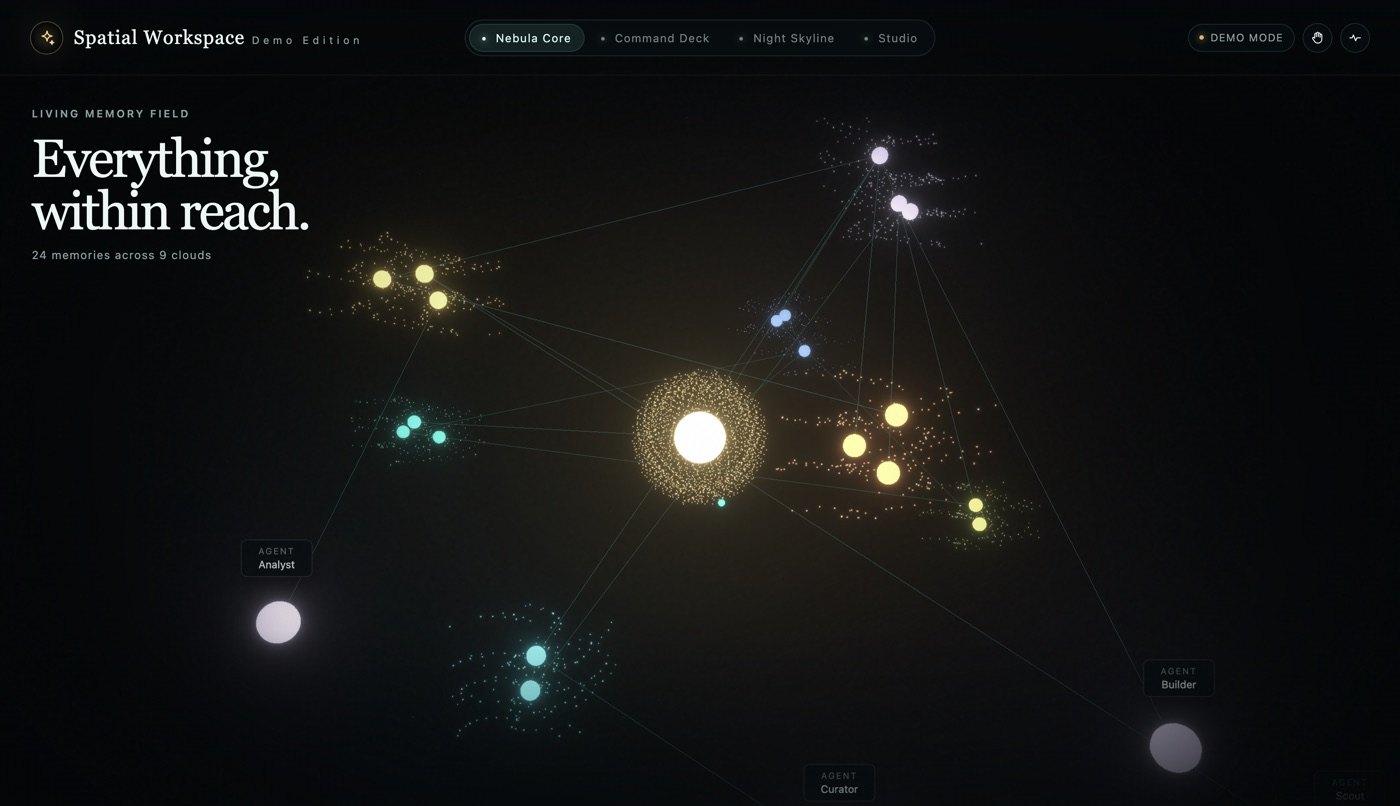
20 seconds
Watch it wake up.
The room assembles, you ask a question out loud, it answers, and a fist stops it mid-sentence.
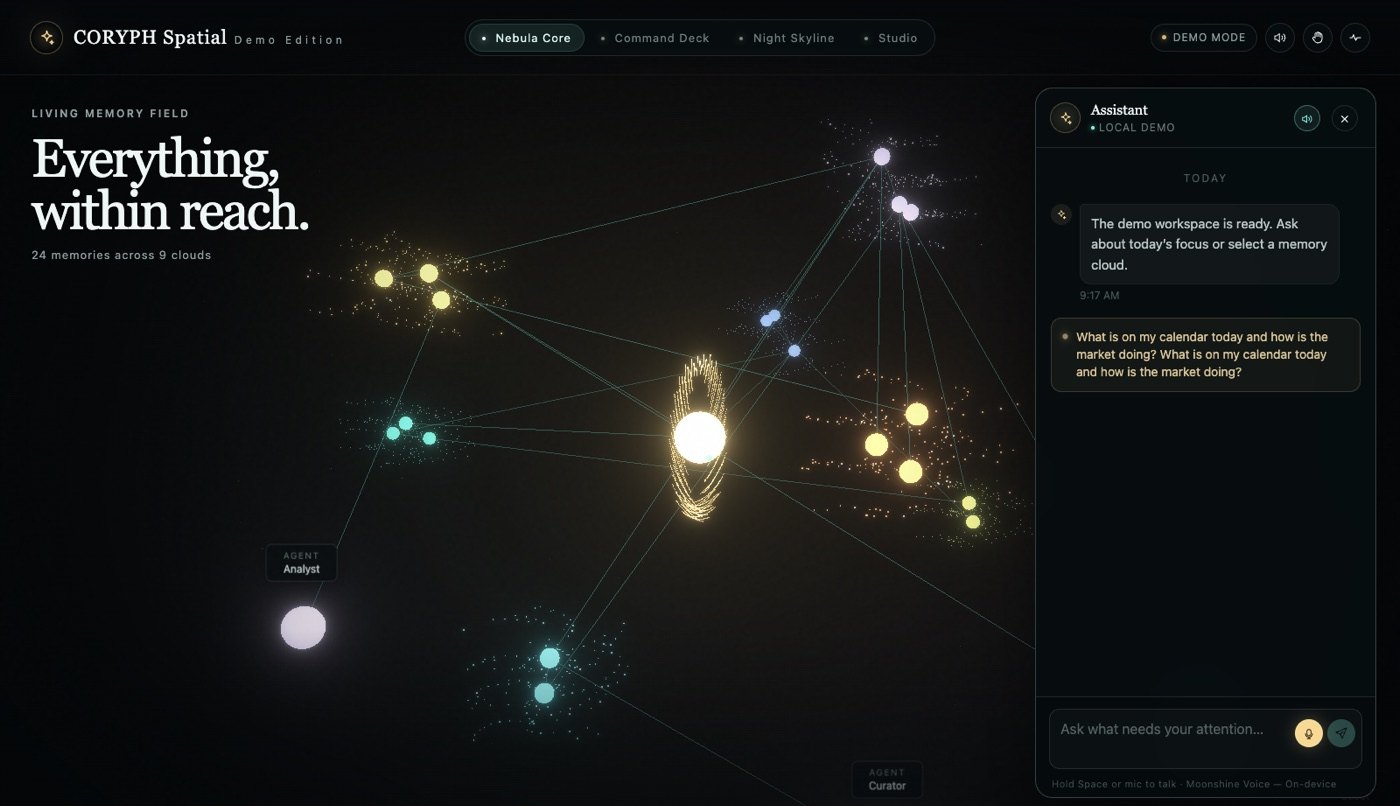 Watch the 20-second demo
Recorded in the Demo Edition
Watch the 20-second demo
Recorded in the Demo Edition
Real screenshots
Four rooms. One assistant.
Move between rooms with a hand swipe, the number keys or a click. Everything works with a mouse and keyboard too.
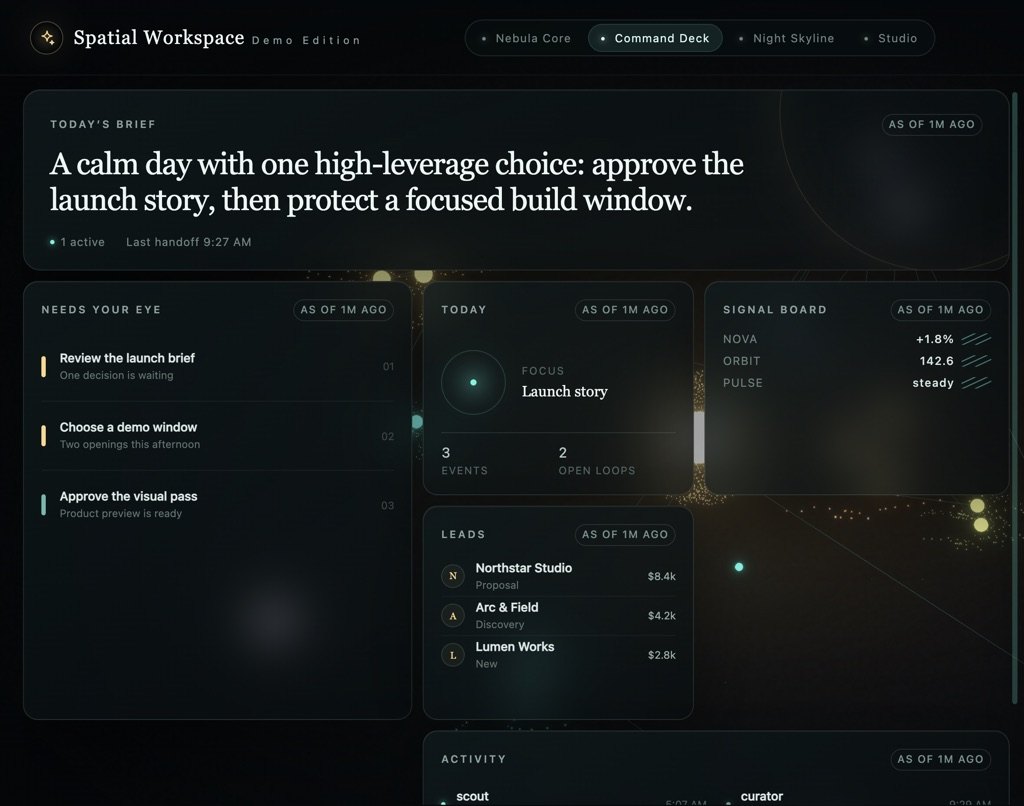
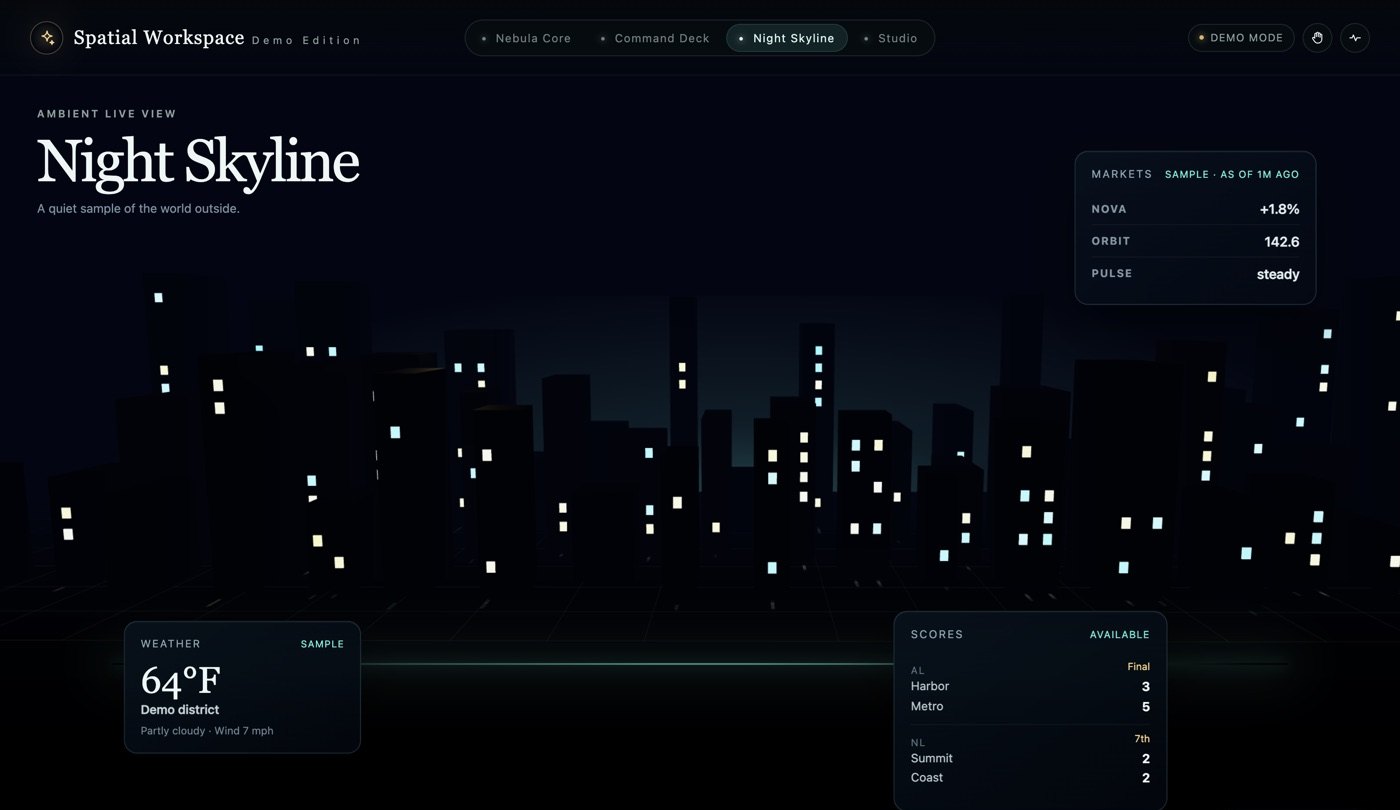
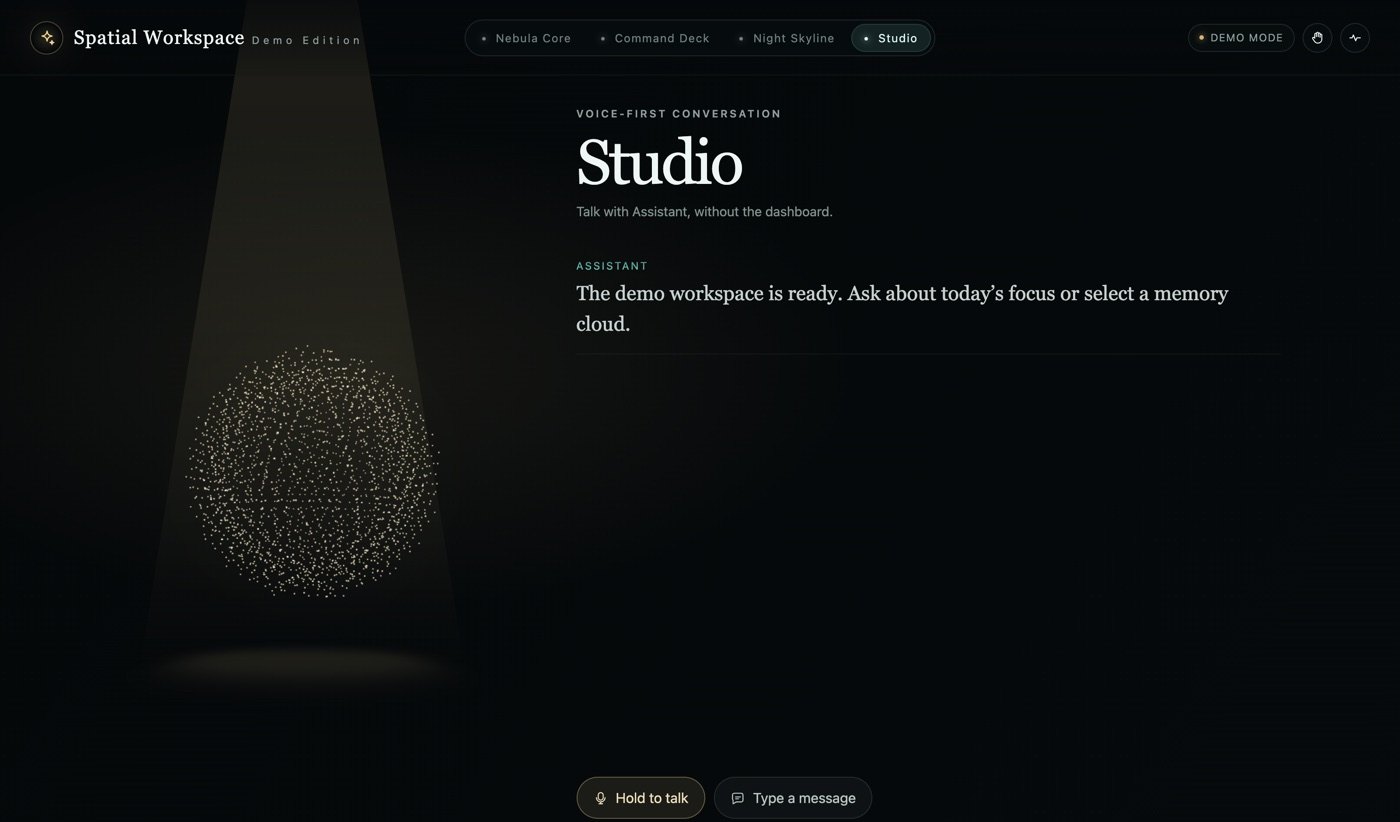
These screenshots are from the Demo Edition with sample data. You choose the name and colors; several shots show the default "Spatial Workspace" name.
Built different
Private by default. Any AI. Your hands.
Most AI dashboards lock you into one provider and send your voice to the cloud. CORYPH Spatial doesn't.
On-device voice
Hold Space or raise an open palm, and talk. Your Mac turns your speech into text with Moonshine instead of streaming it to the cloud. Make a fist or press Esc and it stops mid-sentence.
Any AI, your key
Anthropic, OpenAI, Google Gemini or xAI, or local models with Ollama. Your key is encrypted with the macOS Keychain, and you pay your provider directly, usually a few dollars a month.
Hand gestures
Pinch to open, pinch and drag to spin, use two hands to zoom, and swipe between rooms. Tracking runs on your Mac, the camera stays off until you turn it on, and a 20-second tutorial teaches the moves.
Private by default
No analytics, no camera frames uploaded, and no account needed for the demo. Your keys and connector settings stay on your machine, and you choose which AI gets your questions.
Your data, 5 minutes
Paste a calendar link, a Todoist token and your favorite feeds, and the Command Deck fills with your day. Add Notion, GitHub and more through MCP.
Made to share
A built-in Record demo button saves the 3D view as a 9:16 or 16:9 clip, ready for your next short.
Model Debate
One question. Four minds.
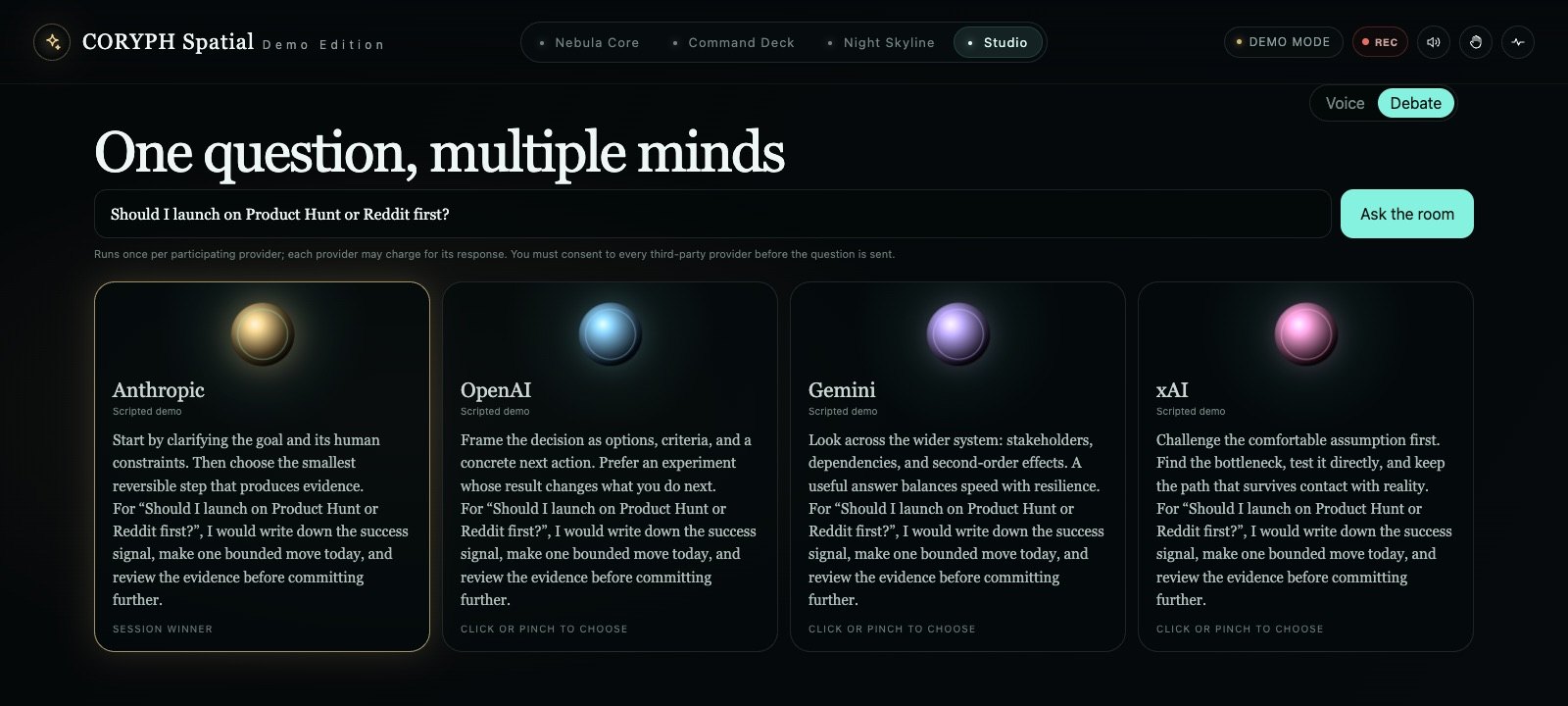
In Studio, ask once and up to four AIs answer side by side: Anthropic, OpenAI, Gemini and xAI. Pick the winner with a click or a pinch. Each provider asks for your OK first and bills its own answer.
Connectors
Your day, connected.
Paste a link or a key and your real data shows up. No login handoffs for the basics.
- Download and openIt runs straight away in the Demo Edition. There's nothing to sign up for.
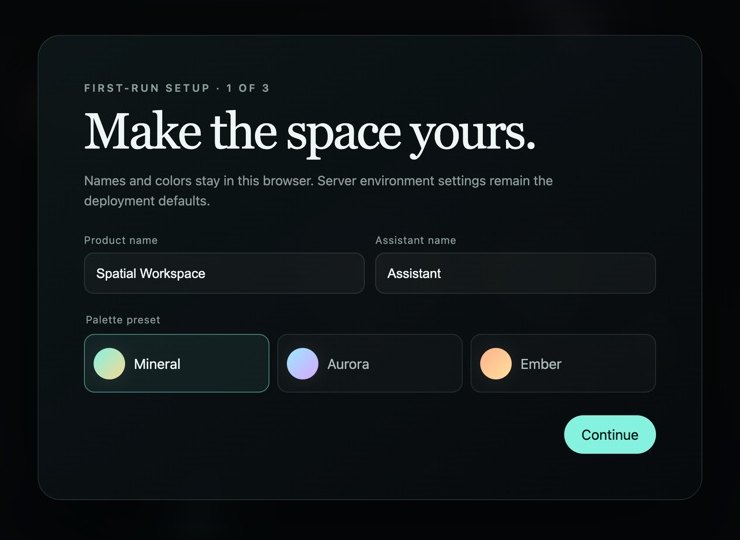
- Name it and pick your AIChoose a name, a color theme and a provider. Your key goes into the macOS Keychain.
- Connect your dayAdd your calendar, tasks and feeds, then hold Space and ask what needs your attention.
Pricing
Pick your path.
Pay once and keep it. Build it yourself, download the app, start from the source, or let us set it up. Sales open soon; join the waitlist and we'll email you when each option is ready.
Build Pack
- 8 phase-by-phase prompts
- Works in any AI coding assistant
- Repair prompt + Known Traps
- 12 months of pack updates
App for Mac
- No code: download, paste your key, talk
- Use it on up to 3 Macs
- Any AI, voice, gestures, Debate
- 12 months of updates, then $19/yr (optional)
Source: Personal
- Everything in the App
- Full source code
- One personal project
- 6 months of updates, then $25/yr (optional)
Pro
- App + private GitHub repo
- Use it in client projects
- 12 months of updates, then $69/yr (optional)
- Priority support + early features
Setup
- 60-minute call; we install and brand it
- Your data connected live
- Pro license included
- 14 days of email support
Keep the version you have, forever. Every purchase includes updates. After that, renewing is optional: $19 a year for the App, $25 for Source: Personal, $69 for Pro. Skip it and nothing breaks; your version keeps working.
Prices in USD. You pay your AI provider separately, or nothing with a local model. The App can be refunded within 14 days if it won't run on a supported setup. Source and Pro can be refunded within 7 days if you haven't downloaded the source or cloned the repo.
For business
Put it on the wall.
A walk-up screen for your lobby, sales center, showroom or trade-show booth. People ask it questions out loud and explore with their hands, and it carries your brand and your data.
One screen, your hardware
- Branded to your business, with the data you choose
- Discovery call and a written proposal
- Delivered in 2–4 weeks, with two review rounds
- 30 days of support after launch
A walk-up experience
- Multiple rooms built around your listings, inventory or product story
- Installation and staff training
- A care plan keeps the content fresh and the software current
Built for real-estate sales centers, auto and retail showrooms, and trade-show exhibitors.
FAQ
Questions
Do I pay for AI on top of this?
Only if you use a cloud AI. You use your own API key and pay the provider directly, usually a few dollars a month for personal use. The Demo Edition needs no key, and a local model through Ollama costs nothing. A ChatGPT Plus or Claude Pro subscription isn't an API key.
Is my camera video recorded or uploaded?
No. The camera stays off until you turn it on. Hand tracking runs on your Mac, and the app never uploads, records or saves camera frames. Everything also works with a mouse and keyboard.
Where does my voice go?
Speech recognition runs on your Mac. The mic listens only while you hold Space, the mic button or an open palm. Only the text of your question goes to the AI you picked. Voice is tuned for English today.
What do I need?
macOS 13 or later; an Apple silicon Mac is recommended. A webcam and mic are optional. The Source and Pro editions also run in Chrome, Edge or Arc on Mac, Windows or Linux.
Windows, iPhone, iPad or Android?
Windows is coming soon. iPad, iPhone and Android are coming soon too; we'll share dates when they're ready.
Can I use it for clients?
Yes, with Pro: unlimited client projects, including paid work. The App and Source licenses cover your own use, personal or at work.
What if it doesn't work on my Mac?
Try the free Demo Edition first once it ships. If you buy and it won't run on a supported setup, you can get a refund: within 14 days for the App, or within 7 days for Source and Pro if you haven't downloaded the source or cloned the repo.
Be first to try it.
Join the waitlist and we'll send you the free Demo Edition the day the Mac app ships. Then open it and hold Space.